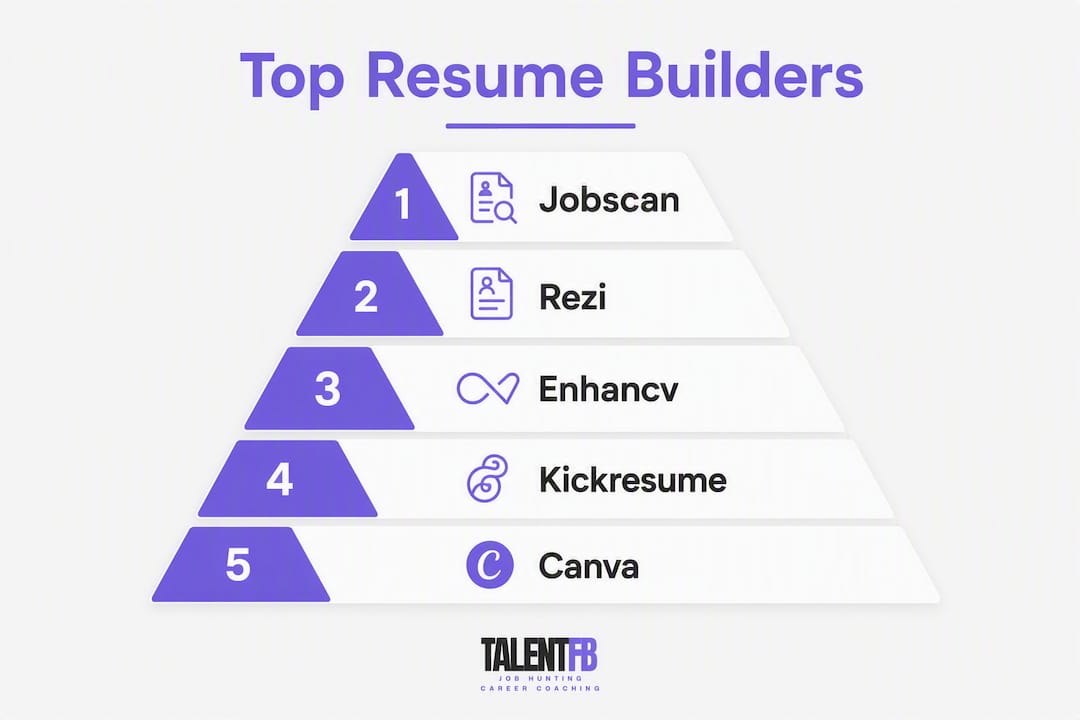
For most mid-career job seekers, Rezi is the strongest starting point among the top resume building platforms today: it combines ATS-safe templates, keyword targeting, and a Rezi Score that tells you exactly where your resume falls short. For pure ATS optimization, Jobscan is the specialist pick. If you want the best free experience, Resume.com and Canva both offer genuinely usable free tiers. For design-forward resumes that still clear ATS, Enhancv is worth your time.
Here is a quick shortlist to orient you before diving deeper:
- Best overall: Rezi — ATS-first, keyword-targeted, clear scoring
- Best for ATS optimization: Jobscan — built specifically to match resumes to job descriptions
- Best free or low-cost: Resume.com — solid templates, no paywall for basics
- Best templates and design: Enhancv — polished layouts with verified ATS compatibility
- Best for multi-application tracking: Teal — combines resume building with a job tracker
- Best for quick, clean output: Resume.io — fast, guided, and widely recognized
One honest note before you go further: if you are a Director, VP, or C-suite executive in transition, a resume builder alone will not get you where you need to go. The formatting is the easy part. The hard part is building a leadership narrative with quantified business outcomes, and that requires a different kind of help. More on that below.
Table of Contents
- How do the top resume building platforms compare at a glance?
- How to choose a resume builder that actually helps you get hired
- How we evaluated these platforms
- Short reviews: which platform is right for you?
- When a resume builder is not enough for senior professionals
- What I actually think after 15 years inside hiring rooms
- TalentFB pairs with any builder to lift outcomes for senior searches
- Sources and further reading
How do the top resume building platforms compare at a glance?
| Dimension | Kickresume | Rezi | Teal | Enhancv | Canva | Novorésumé | Resume.io | ResumeGenius | Jobscan | Resume.com |
|---|---|---|---|---|---|---|---|---|---|---|
| Best for | Creative professionals | ATS-first job seekers | Active multi-applicants | Design + ATS balance | Visual/portfolio roles | Clean modern look | Quick guided builds | First-time builders | ATS optimization | Budget-conscious seekers |
| Pricing / free plan | Free tier; paid from ~$19/mo | Free tier; paid from ~$29/mo | Free tier; paid from ~$29/mo | Free tier; paid from ~$24/mo | Free tier; paid from ~$15/mo | Free tier; paid from ~$16/mo | Free tier; paid from ~$6/mo | Free tier; paid from ~$8/mo | Free scan; paid from ~$49.95/mo | Free tier; paid plans available |
| Templates & customization | — | ATS-safe templates, limited design | Moderate templates, job-tracker focus | 30+ templates, two-column verified | Hundreds of templates, high visual flex | Clean, modern, limited flex | — | 30+ templates, guided | Minimal templates, analysis-first | 20+ templates, straightforward |
| ATS compatibility | Varies by template | High — ATS-safe by design | Moderate | High — ATS-verified layouts | Varies — design-heavy templates risk ATS | High for standard templates | High for standard templates | High for standard templates | Highest — purpose-built for ATS match | Moderate |
| AI features | AI content suggestions | Keyword targeting, Rezi Score | AI bullet suggestions | Inline AI assistant, ATS Check | Basic AI text suggestions | AI content help | AI writing prompts | AI bullet generator | Job description matching, gap analysis | Basic AI suggestions |
| Ease of use | Moderate | Moderate | Easy | Moderate | Very easy | Easy | Very easy | Very easy | Moderate | Easy |
| Export formats | PDF, Word | PDF, Word | PDF, Word | PDF (Word varies by plan) | PDF, Word | PDF, Word | PDF, Word | PDF, Word | ||
| Integrations | LinkedIn import | LinkedIn import | LinkedIn, job board tracking | LinkedIn import | None notable | LinkedIn import | LinkedIn import | LinkedIn import | LinkedIn, ATS tools | LinkedIn import |
Clearest picks by use case: For ATS-first optimization, Jobscan has no real peer in this group. For active applicants juggling 20+ applications, Teal’s job-tracking layer saves real time. For design-conscious roles in creative fields, Kickresume or Canva give you the most visual control.
How to choose a resume builder that actually helps you get hired
The right choice depends almost entirely on where you are in your search and what the role demands.
Pick a builder when you need speed and ATS alignment for a defined target role. Pick coaching when your career story is complex, your seniority is high, or the role requires a narrative that no template can generate for you.
Decision-critical features to evaluate:
- ATS parsing: Does the template export as clean, single-column text that ATS software can read without errors?
- Job-tailoring: Can you paste a job description and get targeted keyword suggestions, not just generic rewrites?
- AI content quality: Does the AI generate specific, metric-driven bullets, or vague duty lists?
- Template parseability: Are two-column or graphic-heavy templates verified for ATS, or just visually appealing?
- Export formats: PDF is standard; Word export matters when a recruiter or hiring manager asks for an editable file
- Job tracking and integrations: If you are applying to many roles, a built-in tracker prevents the chaos of spreadsheets
- Privacy: Does the platform sell or share your resume data? Check the privacy policy before uploading anything sensitive
Three-step decision flow:
- Define your goal. Applying broadly to 30+ roles? Prioritize speed, ATS compliance, and job tracking. Targeting three specific enterprise roles? Prioritize tailoring quality, AI feedback depth, and export fidelity.
- Match tool capabilities to that goal. Independent guides consistently recommend different tools by search stage: tracking-first tools for active applicants, ATS-optimization tools for late-stage polishing.
- Plan your backup. For any high-stakes role, treat the builder’s output as a first draft. A coach, certified resume writer, or senior peer review should touch it before it goes out.
Red flags to watch for:
- Fancy infographic templates with icons, charts, or text boxes — these often break ATS parsing
- Platforms that only export to PDF and won’t give you a Word file
- Vague or absent privacy policies about how your resume data is stored or shared
- No job-tailoring feature — keyword matching is table stakes in 2026
Pro Tip: Before committing to any template, copy-paste the exported PDF text into a plain text editor. If the section headers, bullet points, and dates appear in the right order with no garbled characters, the template is likely ATS-safe. If the text scrambles or sections merge, choose a different layout.
How we evaluated these platforms
Every platform in this article was assessed across the same set of criteria, applied consistently so the comparisons hold up.
Evaluation checks performed:
- ATS parsing tests: exported resumes were reviewed for clean text output and correct section ordering
- Job-tailoring accuracy: tested by pasting real job descriptions and reviewing the keyword and content suggestions returned
- AI rewrite usefulness: assessed whether AI-generated bullets were specific and metric-ready or generic and vague
- Template parseability: flagged any template with design elements known to cause ATS errors (text boxes, columns without verified ATS testing, embedded graphics)
- Mobile editing: checked whether the builder is usable on a phone for quick edits
- Privacy terms: reviewed each platform’s stated data handling and sharing policies
- Pricing transparency: verified whether free plans are genuinely functional or paywalled after the first step
- Support options: noted whether live chat, email, or community support is available
Data sources include hands-on trials, vendor documentation, independent buyer guides, recruiter interviews, and published user counts where vendors have made them available.
A note on pricing and feature transparency: Several platforms update their pricing tiers frequently, and some features listed as “AI-powered” vary significantly in quality between free and paid plans. Always test the free tier before committing to a subscription, and verify current pricing directly on the vendor’s site before purchasing.
Short reviews: which platform is right for you?
1. Kickresume
Kickresume targets creative and design-conscious professionals who still need ATS compliance. Its template library leans toward polished, visually engaging layouts, and the AI writing assistant helps generate bullet points from job titles and responsibilities. The platform imports from LinkedIn, which saves meaningful setup time.
Best for: Creative roles, marketing, design, and anyone who wants a resume that looks distinctive without sacrificing structure.
- Pros: Strong template variety; LinkedIn import; AI content suggestions; Word and PDF export
- Cons: Design-heavy templates carry ATS risk if not chosen carefully; free plan is limited
Pricing: Free tier available; paid plans from approximately $19/month. ATS/AI note: Standard single-column templates parse well; graphic-heavy options need manual ATS verification. Export: PDF and Word. Integrations: LinkedIn import.

2. Rezi
Rezi is built around one core promise: your resume will clear ATS. Its keyword-targeting feature pulls missing terms directly from a pasted job description, and the Rezi Score gives you a numeric read on how well your resume matches a target role. Forbes has recognized it as a top pick, and it reports over 4.3 million users.
Best for: Job seekers who want data-driven ATS optimization and a clear score to track improvement.
- Pros: ATS-safe templates by design; keyword gap analysis; Rezi Score; PDF and Word export
- Cons: Interface feels utilitarian; design options are limited compared to creative-first tools
Pricing: Free tier; paid from approximately $29/month. ATS/AI note: Among the strongest ATS-first tools in this group. Export: PDF and Word. Integrations: LinkedIn import.
3. Teal
Teal’s real differentiator is its job tracker. You can save job postings, track application status, and build tailored resumes for each role, all inside one dashboard. The AI suggests bullet points and helps you match resume content to specific job descriptions. For anyone running a high-volume search, this workflow integration is genuinely useful.
Best for: Active applicants managing 15+ applications simultaneously who need organization as much as resume quality.
- Pros: Job tracking built in; AI bullet suggestions; LinkedIn import; clean interface
- Cons: Template selection is narrower than dedicated design tools; PDF-only export on free plan
Pricing: Free tier; paid from approximately $29/month. ATS/AI note: Moderate ATS compliance; job-tailoring is the standout feature. Export: PDF (Word on paid plans). Integrations: LinkedIn, job board tracking.
4. Enhancv
Enhancv reports more than 10 million job seekers have used its builder, and it has put real work into ATS verification. Its two-column templates are documented as ATS-compatible with verified hires as proof points. The inline AI assistant and ATS Check tool draw from recruiter interviews and ATS documentation, making the guidance more grounded than most.
Best for: Professionals who want a polished, modern resume that has been tested for ATS compatibility, not just assumed to work.
- Pros: ATS Check feature; verified two-column layouts; inline AI assistant; one-click job tailoring
- Cons: Free plan is limited; some advanced features require a paid subscription
Pricing: Free tier; paid from approximately $24/month. ATS/AI note: One of the strongest ATS-verified template libraries in this group. Export: PDF and Word. Integrations: LinkedIn import.
5. Canva
Canva is not a dedicated resume builder, but its template library is enormous and its ease of use is unmatched. For roles where visual presentation matters (creative direction, brand management, design), a Canva resume can open doors. The risk is real, though: many Canva templates use text boxes and graphic elements that ATS software cannot parse.
Best for: Creative professionals applying to roles where the resume doubles as a portfolio piece, and where human eyes, not ATS software, make the first call.
- Pros: Massive template library; very easy to use; free tier is genuinely functional; PDF export
- Cons: Significant ATS risk with design-heavy templates; Word export limited on free plan; no job-tailoring feature
Pricing: Free tier; paid from approximately $15/month. ATS/AI note: Use only the simplest, most text-based templates if ATS compliance matters. Export: PDF (Word varies by plan). Integrations: None notable for job search.
6. Novorésumé
Novorésumé keeps things clean and modern. Its templates are well-structured, its interface is straightforward, and the AI content suggestions help you move past a blank page quickly. It is a solid choice for professionals who want a professional-looking resume without a steep learning curve.
Best for: Mid-career professionals who want a clean, modern output without spending hours on customization.
- Pros: Clean templates; easy to use; AI content help; PDF and Word export
- Cons: Customization is more limited than design-first tools; free plan restricts downloads
Pricing: Free tier; paid from approximately $16/month. ATS/AI note: Standard templates perform well with ATS; avoid the more graphic-heavy options. Export: PDF and Word. Integrations: LinkedIn import.

7. Resume.io
Resume.io is one of the fastest builders in this group. Its guided interface walks you through each section, the templates are clean and ATS-friendly, and the AI writing prompts help fill gaps quickly. For someone who needs a solid resume in under an hour, this is a reliable choice.
Best for: First-time builders and professionals who want a guided, low-friction experience with a professional result.
- Pros: Very fast to use; guided section-by-section flow; clean ATS-friendly templates; low starting price
- Cons: Less customization depth than Enhancv or Kickresume; AI prompts are helpful but not deeply tailored
Pricing: Free tier; paid from approximately $6/month. ATS/AI note: Strong ATS compliance on standard templates. Export: PDF and Word. Integrations: LinkedIn import.
8. ResumeGenius
ResumeGenius is designed for accessibility. Its step-by-step wizard guides you through every section, pre-populates content suggestions based on your job title, and produces a clean, formatted resume quickly. It is particularly well-suited to first-time resume writers or those returning to the job market after a gap.
Best for: Entry-level candidates, career changers, and anyone who finds a blank page intimidating.
- Pros: Very easy wizard-style interface; pre-written bullet suggestions by role; 30+ templates; PDF and Word export
- Cons: AI suggestions are generic and need significant editing for senior roles; limited tailoring depth
Pricing: Free tier; paid from approximately $8/month. ATS/AI note: Templates are ATS-safe; bullet suggestions require manual refinement for accuracy. Export: PDF and Word. Integrations: LinkedIn import.
9. Jobscan
Jobscan does one thing better than anyone else in this group: it tells you exactly how well your resume matches a specific job description. Paste the job posting, upload your resume, and Jobscan returns a match score with specific gaps identified. It is less a resume builder and more an optimization engine, which is exactly what late-stage applicants need.
Best for: Candidates who already have a resume and want to optimize it for a specific role before applying.
- Pros: Best-in-class job description matching; gap analysis; ATS simulation; LinkedIn optimization tools
- Cons: Not a full resume builder; template options are minimal; monthly cost is higher than most builders
Pricing: Free scan available; paid from approximately $49.95/month. ATS/AI note: Purpose-built for ATS optimization. Export: PDF. Integrations: LinkedIn, ATS tools.
10. Resume.com
Resume.com offers one of the most accessible free tiers in this group. The templates are clean, the interface is straightforward, and the basics are available without a credit card. For budget-conscious job seekers who need a professional-looking resume quickly, it delivers without friction.
Best for: Job seekers who want a no-cost starting point with a professional result and no pressure to upgrade immediately.
- Pros: Genuinely functional free tier; clean templates; easy to use; PDF and Word export
- Cons: AI features are basic; customization depth is limited; fewer advanced features than paid-first tools
Pricing: Free tier; paid plans available. ATS/AI note: Standard templates are ATS-compatible; AI suggestions are minimal. Export: PDF and Word. Integrations: LinkedIn import.
When a resume builder is not enough for senior professionals
Here is the honest truth about executive job searches: a well-formatted resume is necessary, but it is rarely sufficient. Builders format. Coaching builds narrative.
For Directors, VPs, and C-suite leaders, hiring managers are not scanning for duties. They are looking for business outcomes: revenue generated, costs reduced, teams scaled, products shipped. An AI builder cannot invent those numbers for you, and it cannot help you decide which ones to lead with for a specific role. That strategic layer requires human judgment.
A practical workflow for senior candidates:
- Audit your impact metrics first. Before opening any builder, list your top 10 business outcomes from the last five years. Revenue figures, cost savings, team growth, product launches, and market expansions. These are the raw material no AI can generate.
- Craft your leadership narrative. Decide the through-line of your career story: what problem do you solve at the leadership level, and what is the evidence? This narrative shapes every bullet on the page. Executive branding is the discipline that makes this concrete.
- Use a builder for formatting. Once your narrative and metrics are clear, a builder like Rezi or Enhancv handles the formatting efficiently. ATS-safe templates, clean exports, keyword alignment.
- Have a coach or certified writer refine the output. The final pass should address interview messaging, salary positioning, and outreach strategy, not just grammar. This is where the resume becomes part of a broader career transition system.
Industry guidance is consistent on this point: AI builders provide strong drafts, but top candidates audit and quantify every AI suggestion to make sure it reflects proprietary outcomes, not generic language. The ATS-friendly formatting alone will not differentiate a senior candidate in a competitive search.
Pro Tip: For every bullet point on your senior resume, ask: “Would a CFO or board member find this number credible and meaningful?” If the answer is no, the bullet needs a metric, a scope, or a timeframe. “Led digital transformation” tells a hiring manager nothing. “Led a 14-month digital transformation that reduced operational costs by $3.2M across four business units” tells them everything.
Understanding how ATS screening intersects with hiring bias also matters at the senior level: a clean, parseable resume reduces the risk that your application is filtered out before a human ever reads it.
What I actually think after 15 years inside hiring rooms
Most job seekers overthink the tool and underthink the content. The platform you choose matters far less than the quality of what you put into it.
For mid-career roles, my honest recommendation is this: use an ATS-first builder like Rezi or Jobscan, manually tailor the keywords for every application, and spend at least as much time refining your bullet points as you do choosing a template. The resume that gets you an interview is almost never the prettiest one. It is the one that speaks directly to what the hiring manager is trying to solve.
When I review resumes from senior candidates, three things determine whether I keep reading. First, clarity of impact: can I see in 10 seconds what this person has actually achieved? Second, quantifiable outcomes: revenue, cost, scale, speed. Third, a clean, parseable layout that does not make me work to find the information. Fancy formatting is a distraction when the substance is thin.
For quick ATS passes on mid-level roles, Rezi and Jobscan are the tools I would reach for. For a portfolio-ready resume in a creative field, Kickresume or Enhancv give you the design control. For managing a high-volume search across many roles, Teal’s tracking layer is worth the subscription.
If the role is high-stakes, a VP or Director position at a company you genuinely want to work for, please ask for help. Not because you are not capable of writing your own resume, but because the narrative strategy, the salary positioning, and the outreach approach all need to work together. A resume builder cannot do that. A good coach can.
TalentFB pairs with any builder to lift outcomes for senior searches
Resume builders handle the formatting. TalentFB handles everything the formatting cannot do.
For senior tech professionals, Directors, VPs, and C-suite leaders, the gap between a well-formatted resume and a successful search is almost always strategic. TalentFB’s executive coaching for tech leaders addresses that gap in three concrete ways: narrative strategy (building the leadership story that makes your resume memorable), impact metric extraction (surfacing the business outcomes that AI cannot invent), and outreach and ATS strategy (making sure your resume reaches the right people, not just the right algorithms).
TalentFB has coached many senior professionals, with results often occurring within a few months and salary increases frequently reported. The JobSearch/OS™ program is built specifically for this audience. If you are ready to see where your current profile stands, start with a free LinkedIn brand audit and get a clear picture of what needs to change before your next application goes out.
Sources and further reading
The research behind this article draws from vendor documentation, independent buyer guides, recruiter interviews, and published user data. Here are the key sources:
- Zapier’s resume builder guide — Category-based tool recommendations by search stage (tracking, ATS optimization, active applying)
- Grammarly Resume Builder — Alignment scoring, job description matching, and gap identification features
- Trustpilot — User ratings and review data for platform trust signals
- Trustpilot — Rezi reviews — Independent user reviews for Rezi
- IXCommunities — Executive Search Tech Stack — ATS behavior and enterprise hiring tech context
- Evy — Reduce Hiring Bias at the Screening Stage — ATS screening and bias research relevant to resume formatting decisions
One final note: the resume builder market moves quickly. Pricing tiers change, AI features are updated, and new tools launch regularly. Always test a free plan before committing to a paid subscription, and verify current pricing directly on each platform’s website before purchasing.